Space Crew Utility
A downloadable tool for Windows
🪐 Space Crew Utility
Space Crew Utility is a vibrant, vaporwave-inspired system cleaner built with Electron, designed to turn routine system maintenance into a calm, guided ritual.
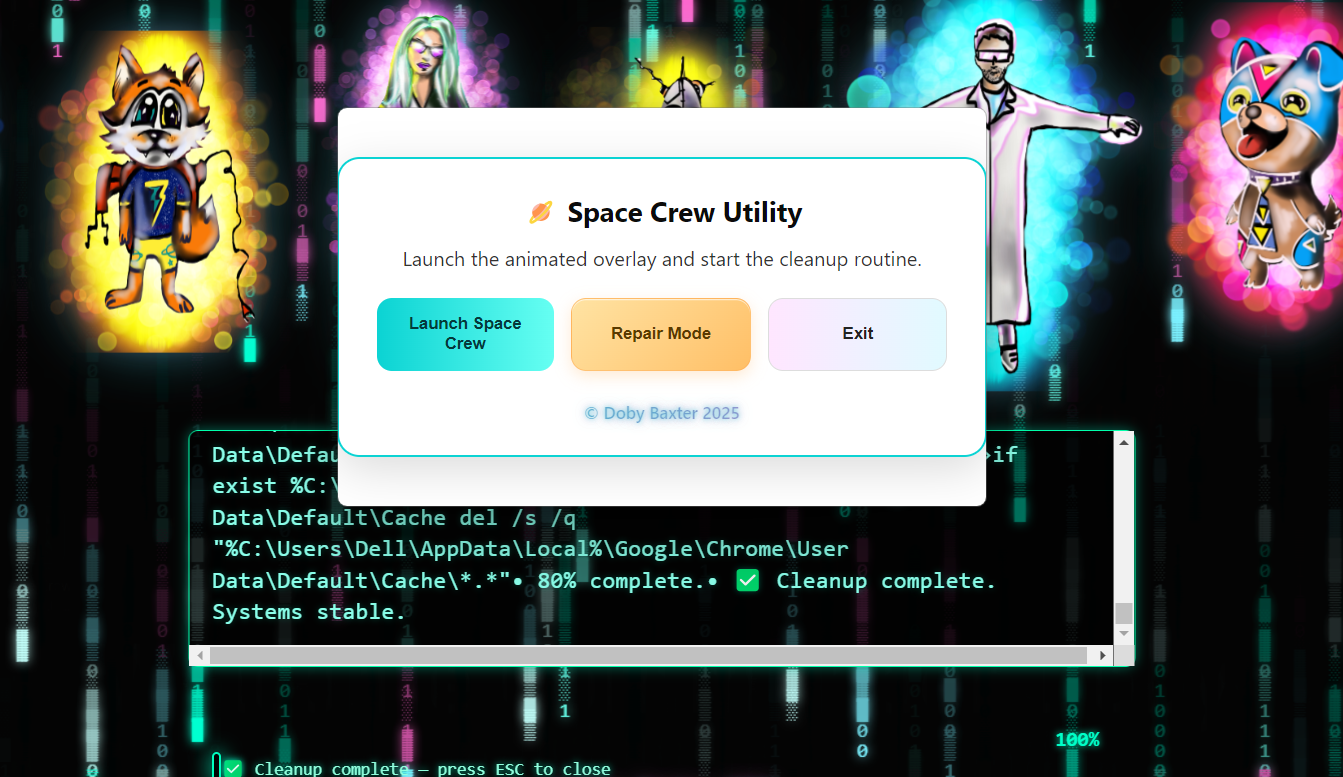
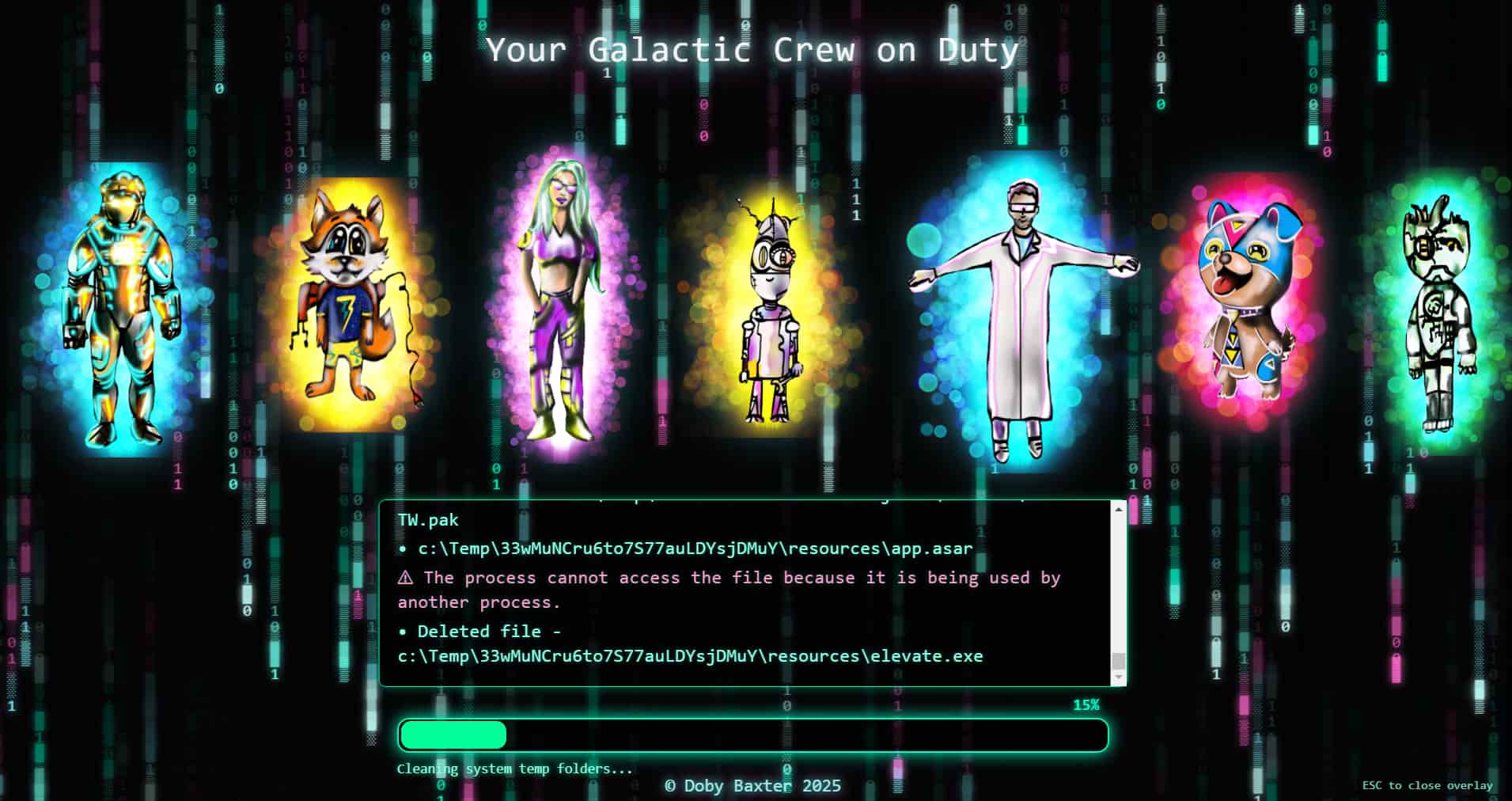
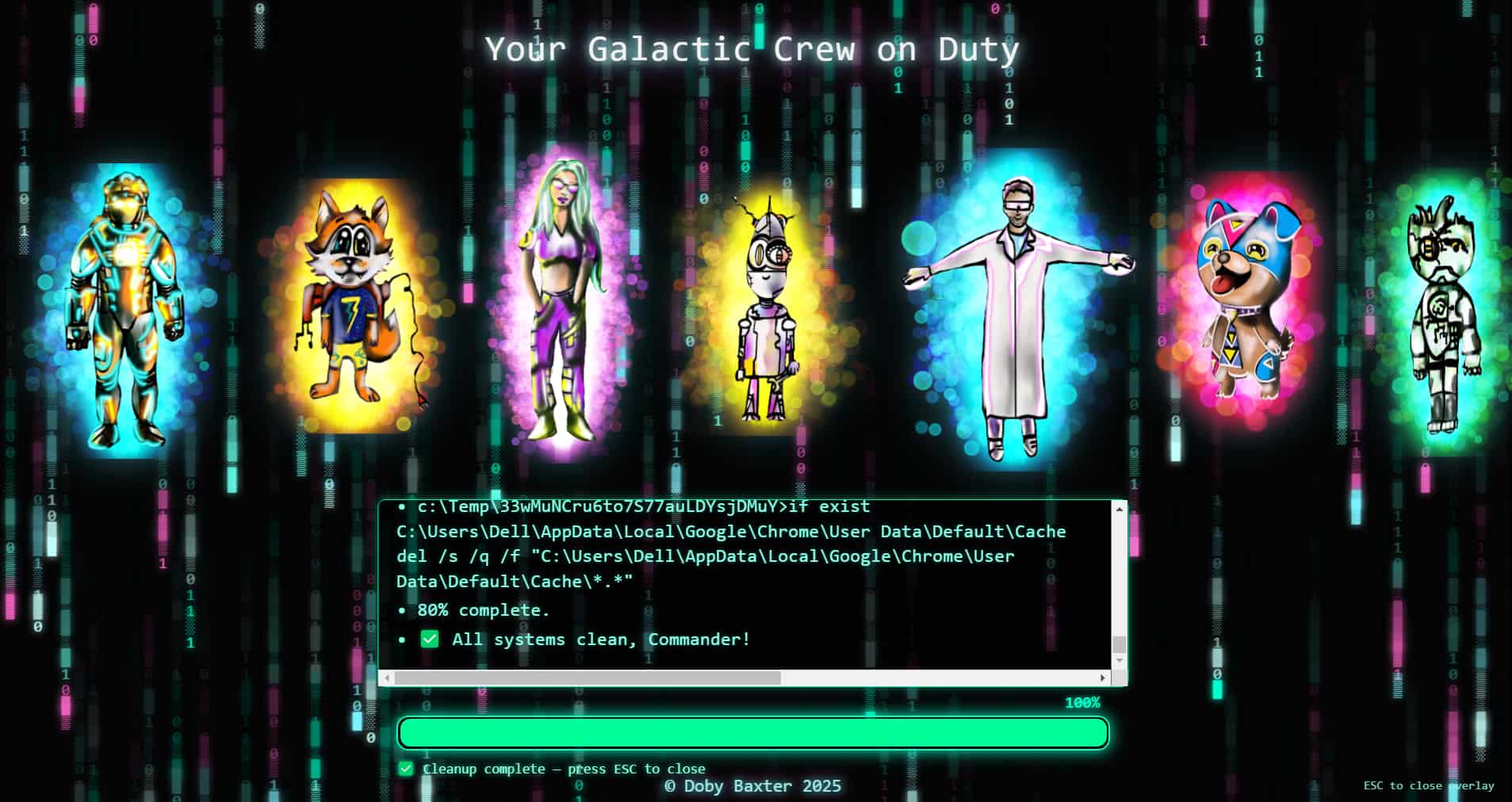
When launched, it opens a real-time galactic overlay featuring your animated crew, live progress updates, and glowing status logs — all while safely cleaning user-level system and browser caches.
It’s more than a utility — it’s a moment of system clarity ✨
For the full source code, visit the repository:
https://gitlab.com/dobybaxter127/space-crew-utility
⚙️ Features
- Live animated overlay with neon sci-fi / vaporwave aesthetic
- Real-time cleanup progress with auto-scrolling terminal log
- Safe Windows cleanup (Temp folders, browser caches, optional update cache handling)
- Graceful handling of protected or locked files
- Clear separation between Safe Cleanup and Repair Mode
- Compact, portable .exe build (no installer required)
- ESC key instantly closes the overlay when finished
🧼 How It Works
Space Crew Utility runs a sequence of safe, transparent cleanup steps, reporting progress back to the overlay in real time.
Cleanup Steps
1. Clean user temporary files
Command: del /s /q "%TEMP%\*.*"
2. Clean Windows temp (admin only)
Command: del /s /q "C:\Windows\Temp\*.*"
3. Reset Windows Update cache (safe rename)
Command: ren "%windir%\SoftwareDistribution" SoftwareDistribution.old
4. Clean Edge & Chrome caches
Command: del /s /q "%LocalAppData%\...\Cache\*.*"
Notes:
- Steps that require administrator privileges are automatically skipped when not permitted
- All actions are logged live to the overlay
- No destructive system changes are performed in normal cleanup mode
🛠 Repair Mode
Repair Mode is reserved for advanced or future system repair actions and requires administrator privileges.
- If launched without admin rights, the user is clearly informed
- No repair actions are executed unless explicitly enabled
- This mode is designed for careful, intentional use
🎨 Visual Overlay
The animated overlay includes:
- Matrix-style animated background
- Floating crew members with gentle motion:
- Captain Kernel 👨🚀
- Nexa 💚
- Foxy 101 🦊
- Gyzmo 🤖
- Scientist 7 🧪
- Sharky 🐶
- Lost in the Algorithm 🤯
- Progress bar with percentage feedback
- Live terminal-style log output
- ESC key to safely exit the overlay at any time
🌈 Final Notes
Space Crew Utility is built with care, transparency, and respect for the system it runs on.
It’s designed to feel friendly, deliberate, and reassuring — even when doing technical work.
This is it 🌱
Download
Install instructions
1. Download the `.exe` file
- Click the download link provided on the project page.
- Save it somewhere easy to find like your Desktop or Downloads folder.
2. Run the App
- Double-click the file to launch the cleaning utility.
- If prompted by Windows SmartScreen, click More info → Run anyway (this happens for new apps not yet recognized).
3. (Optional) Run as Administrator
- Some cleaning tasks need admin access, right-click the file and choose "Run as administrator."
4. No installation required
- This app runs immediately, no setup, no registry changes, no extra files.
5. Enjoy a cleaner system
- Watch your crew animations do their thing while your PC gets a quick tune-up!
Leave a comment
Log in with itch.io to leave a comment.